
Introduction
Search "display management solutions" and you'll get two very different answers. One points to software that controls digital screens and monitor arrays. The other points to the physical merchandising programs that put products in front of shoppers, dealers, and service customers.
This guide focuses on the second kind: physical display programs for brands and multi-location businesses.
A good display has to do more than look sharp in a rendering. It needs to fit the product, meet the retailer's or dealership's space requirements, arrive exactly as specified, and survive months of real-world handling.
When a brand rolls out hundreds of units across locations, consistency is the hard part. The same spec has to hold up in different stores, dealer floors, and service environments.
You'll get the main display formats, what running a display program actually involves, how to vet a vendor, and where software-based signage tools fit—and where they don't.
Key Takeaways
- Display management covers planning, production, quality control, fulfillment, deployment, and support, not just design.
- Choose programs that balance visual impact with durability, product fit, budget, and future refreshes.
- Judge vendors on accountability, specification control, and post-shipment support.
- Digital signage software manages screens; it doesn't replace a physical merchandising program.
What Are Display Management Solutions?
Not every display need calls for the same solution. Three models cover most situations:
- One-time custom display — a project-specific fixture for one product, brand moment, or unusual location (custom does not mean a single unit only).
- Repeatable display system — a pre-engineered, field-tested format for faster multi-location deployment, often with modular parts or swappable graphics.
- Fully managed display program — goes beyond fabrication into strategy, prototyping, kitting, inventory, and synchronized rollout across the network.
The Physical Display Lifecycle
A managed program typically moves through these stages:
- Concept development based on the product, brand guidelines, and how shoppers or buyers will interact with the unit.
- Engineering and materials selection, including prototyping and documented specifications.
- Production planning and quality checks before anything ships.
- Kitting, pack-out, and delivery, followed by deployment support.
- Reorders, repairs, refreshes, with program history kept on file for future waves.

Chicago Show has run this lifecycle since 1902. The process starts with the product, environment, and goal, then aligns materials, engineering, and production schedules before anything is built or quoted.
Why Centralized Management Matters
Brands deploying across retailers, dealerships, distributors, or service centers face a clear risk: disconnected suppliers. According to SEKO Logistics, one rollout can pull displays, signage, and fixtures from multiple vendors with different lead times and freight modes.
A shipment marked "delivered" can still arrive incomplete, mislabeled, or out of sequence—and delay store-level installation.
The fix is disciplined program management: one point of contact, consistent labeling, and a clear escalation path when something slips. A single accountable partner closes that gap by managing in-house engineering, materials, production, kitting, and fulfillment under one roof instead of five separate contracts.
Types of Display Programs and Their Core Requirements
Display formats aren't interchangeable. Each one solves a different merchandising problem.
- Countertop and point-of-purchase displays suit compact products, accessories, promotions, or product education—such as a tiered paint sample center or a candy merchandiser near the register.
- Floor fixtures, wall units, and modular racks handle larger products or broader assortments, including freestanding showroom towers and wall-mounted accessory systems.
- Sample boards, comparison displays, and working demonstrations let buyers evaluate building products, tools, equipment, and automotive parts hands-on before they commit.
- Dealer, service-center, and distributor-network programs need repeatable units that look and function the same whether they land in Dallas or Duluth.
Matching the Display to the Environment
Footprint, traffic flow, and product weight all change what a display needs to do. A tall freestanding unit near an entrance can block sightlines; a counter unit near a cash wrap needs to survive constant handling.
Accessibility requirements matter too. The U.S. Access Board specifies that accessible routes generally require 36 inches of continuous clear width, with a limited 32-inch allowance for short sections like doorways. Placement planning has to account for that from the start, not after a display ships.
Materials and Modularity
Construction choices drive field performance, and the right material depends on the environment—not a single default:
- Steel frames hold up under repeated handling
- MDF and plywood offer cost-effective substrates but respond differently to moisture
- Acrylic works well for visible product risers when the grade matches expected wear
Modularity extends a fixture's life. Interchangeable graphics and swappable components let a brand refresh a seasonal campaign or update a product line without replacing the entire unit, a practical way to stretch program budgets across multiple years.
Pre-Production Checklist
Before anything goes into production, confirm:
- Dimensions and footprint
- Product capacity and SKU count
- Branding and graphic specifications
- Assembly method
- Packaging and shipping configuration
- Location-specific requirements
- Acceptance criteria for quality sign-off
Chicago Show checks every unit against approved specifications before it ships, not after a store manager calls with a complaint. That review step is what keeps units arriving as specified—not merely close enough.
How Display Management Supports Different Industries
Display requirements shift significantly by industry, even when the underlying process stays the same.
Automotive aftermarket, tire retail, and dealer networks rely on displays to organize tires, wheels, brakes, filters, and performance parts. Chicago Show's work here includes:
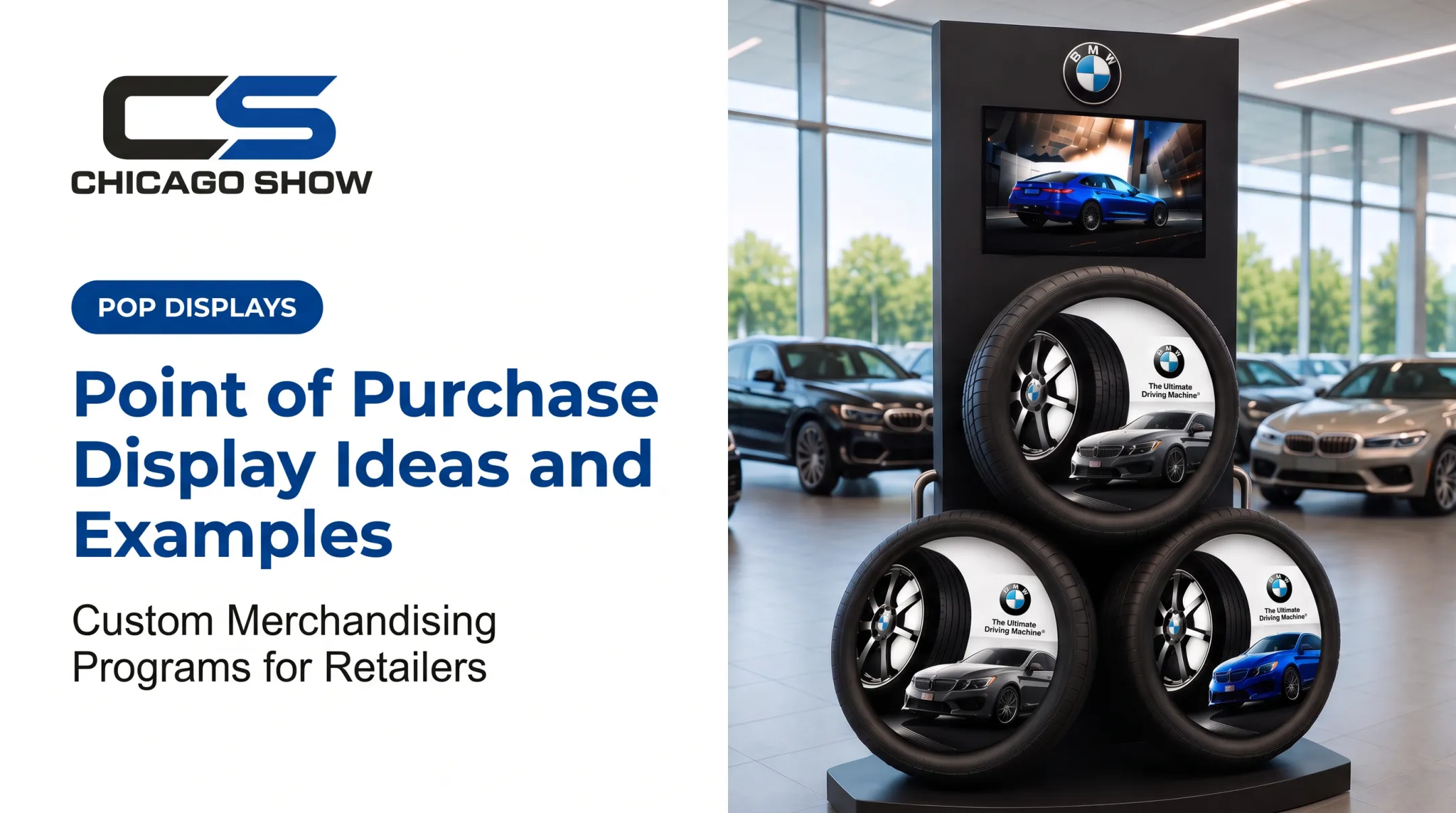
- Modular tire display programs with branded panels for showroom floors and service drives
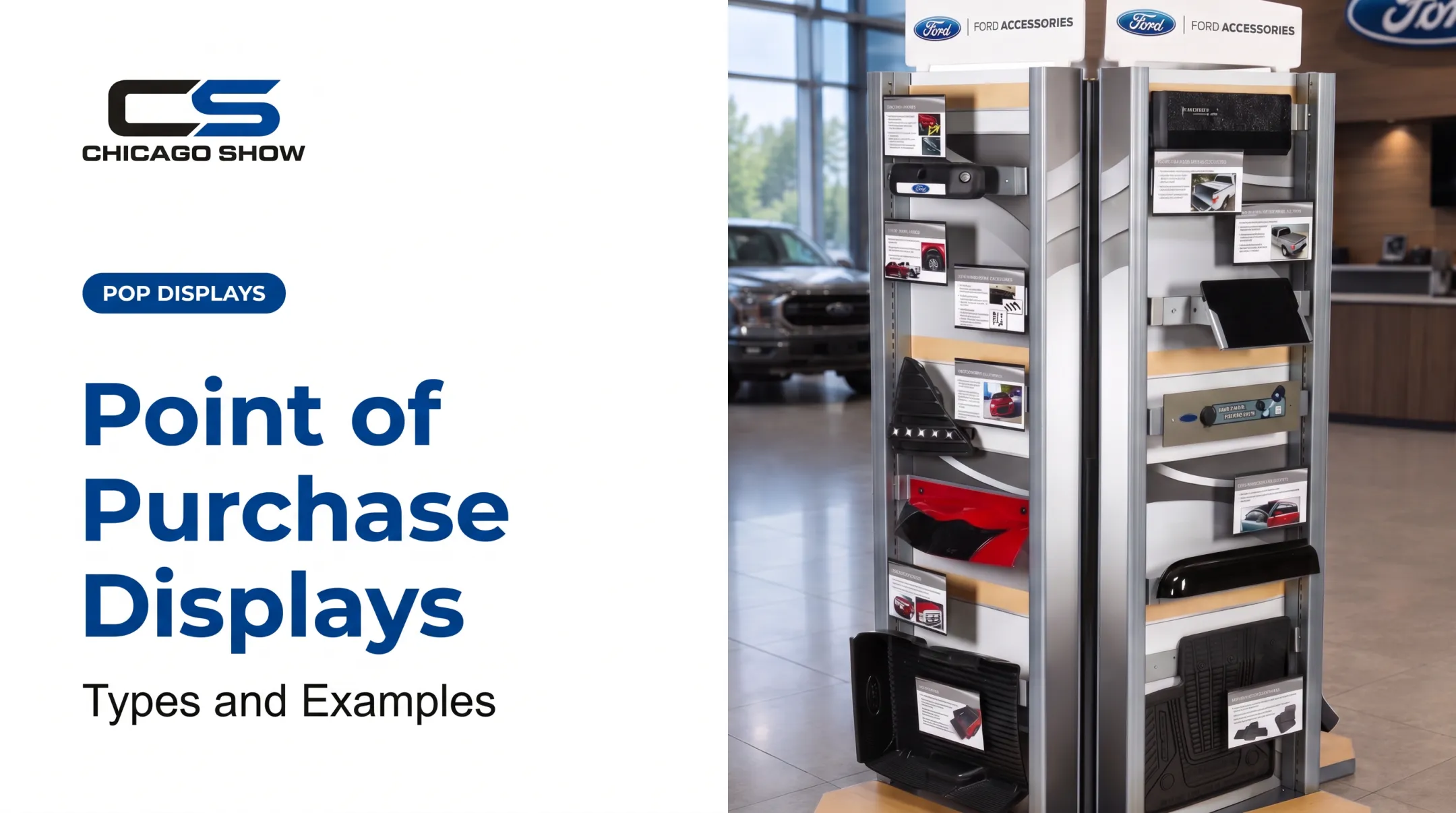
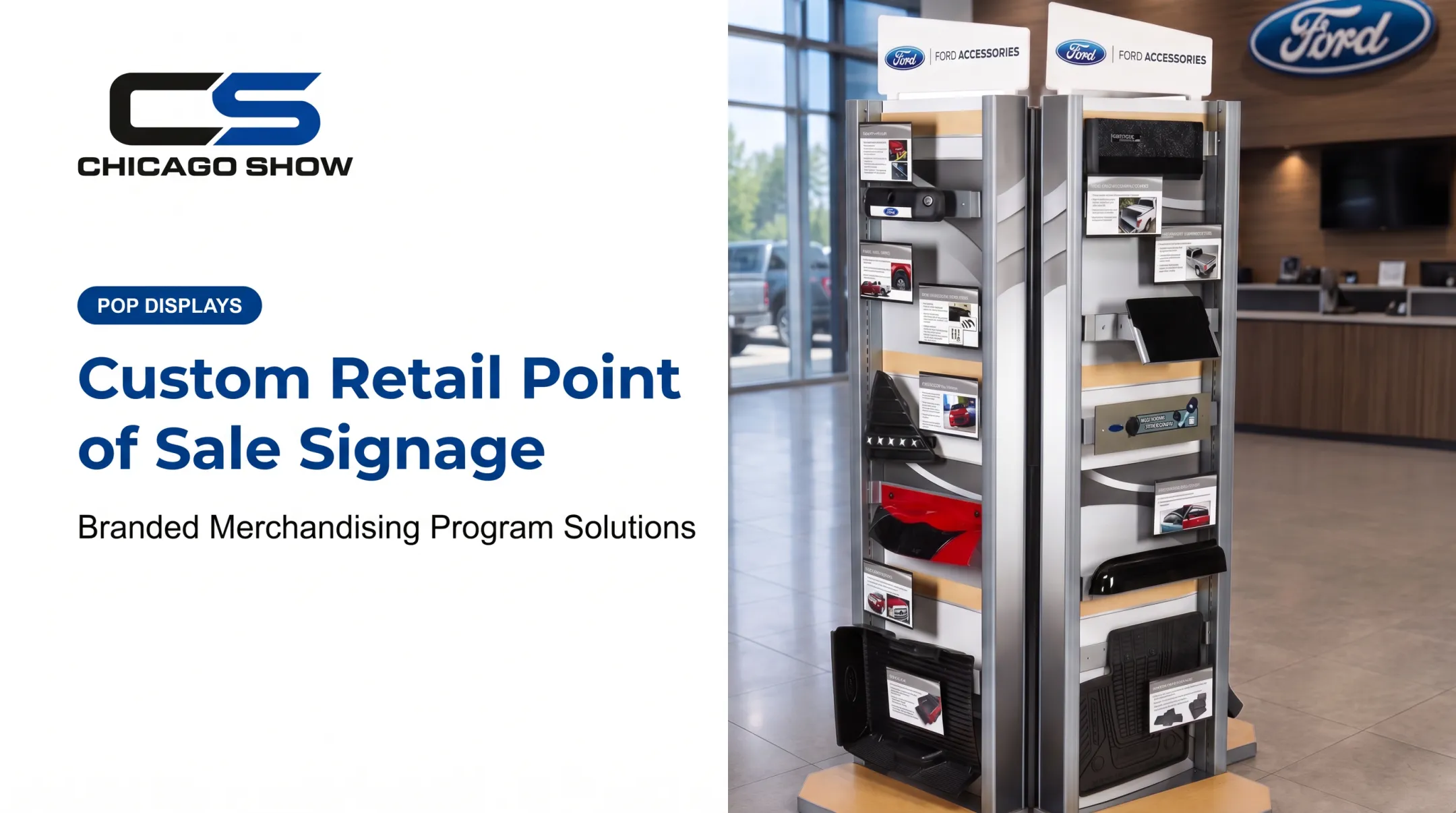
- A Ford accessories tower for floor mats and trim pieces
- A Goodyear educational counter display with real timing belts, pulleys, water pumps, and replacement-interval graphics
- Interactive demo units, such as clear-domed suspension displays for shocks and struts
Consumer brands and sampling programs need countertop and floor units built for hygiene, replenishment, and shopper access. Interactive demo units let shoppers try, taste, or compare products before they buy.
Building-product, tool, and equipment brands use sample boards and comparison displays so buyers can judge finish, texture, or performance differences firsthand. That hands-on format is especially useful in dealer and showroom settings where a sales rep isn't always available.
Marketing agencies often design the creative concept but need a production and fulfillment partner to make it real across dozens or hundreds of locations.
Across these industries, the same pressure shows up: one system has to support many SKUs, locations, and campaign refreshes without exploding the parts list.
A Documented Example
DS Smith's work with Finnish confectioner Cloetta shows what standardization delivers at scale. Cloetta needed versatile point-of-sale structures across different products and campaign packs.
By standardizing interchangeable trays, bases, and signage, the required parts count dropped from 51 to 33, a 35% reduction. That is a measurable simplification in component management, and it shows why modular thinking pays off once a program spans many stores and campaigns.

How to Choose and Implement a Display Management Solution
Start with a needs assessment before talking to any vendor. Document:
- Product dimensions and weight
- Number of locations and rollout timing
- Installation resources available on-site
- Brand standards and budget
- Plans for reorders or future campaigns
Questions to Ask a Prospective Partner
| Area | What to Confirm |
|---|---|
| Communication | Who owns the project from concept through delivery, and how are changes documented? |
| Capabilities | Do they handle engineering, materials, production, and quality checks in-house or through partners? |
| Experience | Can they show comparable rollouts in your product category and scale? |
| Problem handling | How are damaged shipments, replacements, and reorders managed? |
Compare Total Program Cost, Not Unit Price
A low per-unit quote can hide higher costs elsewhere. Build a full picture that includes packaging, freight, assembly, warehousing, and replenishment, plus an allowance for damage and future graphic refreshes. The cheapest display on paper isn't always the cheapest program over three rollout waves.
Pilot Before You Scale
Run a prototype review before committing to a full production run. Check:
- Product fit and shopper or buyer interaction
- Stability and visibility on the floor
- Assembly time and packaging protection
- Real-world constraints at a representative location
A Simple Rollout Framework
- Approve final specifications
- Lock the bill of materials
- Set quality acceptance criteria
- Confirm delivery waves and location requirements
- Define what post-launch support looks like
In practice, that framework only works when one partner owns it end to end. Chicago Show runs new programs through a five-step process that reviews specs, quantities, timing, and constraints before anything is quoted or built. The team stays involved through kitting, fulfillment, and the reorders that come months or years later.

Brands like U-Haul, Ford, Coca-Cola, and Monroe have used that continuity across multiple program years rather than starting over with a new vendor each time.
If you're building a dealer, retail, or CPG display program and want one accountable partner from concept through delivery, Chicago Show's team can walk through what your rollout actually requires.
Frequently Asked Questions
What industries use display management solutions?
Automotive aftermarket, tire and parts retail, CPG, and consumer brands commonly run managed display programs. Any brand rolling fixtures across multiple stores or dealer locations can benefit.
What is included in a display management solution?
A full program covers concept development, engineering and material specs, production, quality checks, kitting, delivery, deployment support, and later reorders or refreshes. It's the entire path from idea to store floor, not just the fixture itself.
How do I choose the right display solution for multiple locations?
Confirm product fit, location-specific requirements, repeatability, and durability first. Then evaluate rollout timing, fulfillment capability, quality oversight, and whether the vendor supports your program after the initial shipment.
What is the difference between a custom display and a managed display program?
A custom display is typically a single project built for one need. A managed program includes repeatable production, multi-location rollouts, documented specifications, and ongoing replenishment as the program continues.
How can I make retail displays durable enough for field use?
Focus on appropriate materials, load capacity, and construction for the environment, then protect units with tested packaging and shipping configurations. Validate everything with a prototype before approving full production.
Can display management support reorders and future merchandising updates?
Yes, a capable partner keeps program history and specifications on file, so reorders, refreshes, and new rollout waves don't require starting the process from scratch.