
The hard part is fitting all of that into one fixture. The counter has to match your workflow, floor space, equipment, product goals, and brand standards. If you're rolling it out to many stores, it also has to be easy to maintain and reproduce. This guide walks through the types, design decisions, materials, and rollout steps.
Key Takeaways
- A counter's main job (checkout, service, display, demo, or a mix) should drive its layout.
- Size it around people, products, equipment, storage, and accessibility, not a generic standard.
- Durable materials, practical staff access, and clear branding matter as much as looks.
- One coordinated partner simplifies design, production, fulfillment, and multi-location rollout.
What Is a Custom Retail Front Counter?
A retail front counter is a purpose-built fixture near the front or a key service area of a store. It supports transactions, customer assistance, product presentation, or several of these at once.
"Front counter" is an umbrella term, not one fixture type. One manufacturer lists "cash wrap, checkout counter, retail counter, or customer service desk" as names for essentially the same product. The right configuration depends on whether staff are ringing sales, answering questions, handling returns, demonstrating products, or directing shoppers.
Custom construction differs from a generic desk or prefabricated checkout unit. You shape it around the store layout, merchandise, equipment, brand standards, and operating process.
Customer-facing and staff-facing functions
The customer side needs:
- Approach space and a clear place to interact with an employee
- Transaction or consultation area
- Product visibility and signage
The staff side needs:
- Work surfaces, drawers, or cabinets
- Point-of-sale equipment, with power and data access
- Product supplies and security
- Room for routine tasks
Counter space competes among the register, card reader, bag well, and staff work area. Decide early what wins.
How a front counter supports merchandising
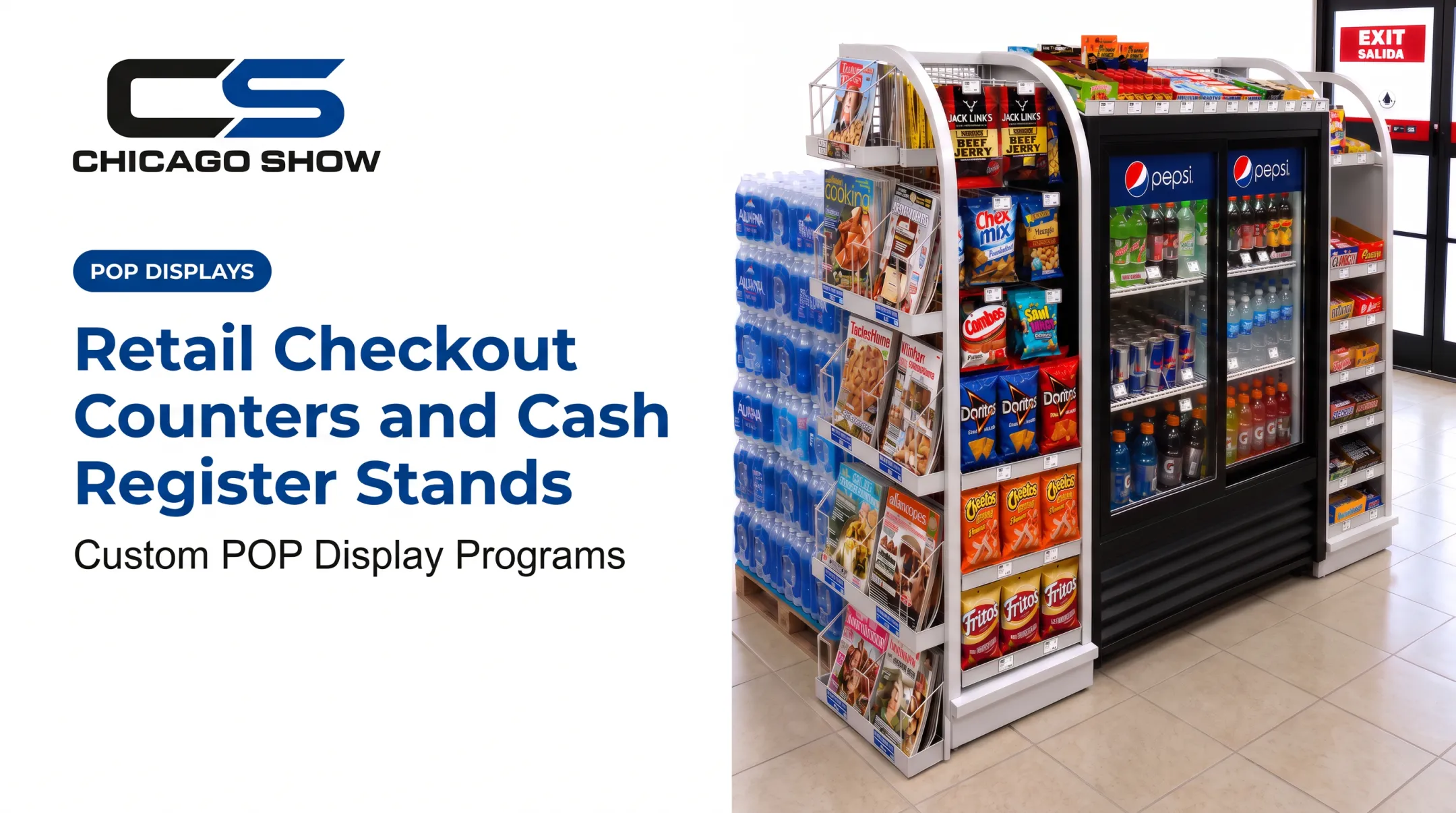
A counter can reinforce a category or campaign through integrated shelves, sample areas, branded panels, product education, or demonstration elements.
An integrated counter display differs from a separate retail display because it must do both jobs: serve the merchandising goal and leave room for the operational work at the front of the store. A tire brand, for example, can place a molded counter unit at a service write-up desk, pairing a cut tire section with a current rebate message.
Types of Retail Front Counters and Store Uses
Checkout and transaction counters
Evaluate these features:
- Register and payment-device placement
- Bagging or handoff space
- Queue direction and employee sightlines
- Under-counter storage and security
This is the physical fixture, not the point-of-sale software.
Customer service and returns counters
Service counters support longer conversations, paperwork, exchanges, and repair or warranty discussions. They need privacy and organized storage, and they shouldn't block the entrance or circulation path.
The ADA treats order, pickup, express, and returns counters as separate functions, so each can carry its own accessibility obligations.
Product display and demonstration counters
These present products, samples, or working demos while keeping key merchandise visible, secure, and easy to replenish. Common formats include:
- Tiered countertop sample merchandisers
- Counter displays with mounted components for point-of-sale education
- Hands-on cutaway units that let shoppers compare products side by side
Reception, welcome, and information counters
A retail welcome counter differs from an office reception desk. Its job is shopper orientation, brand introduction, appointment or service check-in, and pointing customers to the right area of the store.
Hybrid and modular front counters
Hybrid counters combine service, checkout, storage, display, and product education. Modular components help when campaigns change, store formats vary, or rollouts happen in phases.
Some manufacturers offer standard, angled, and U-shaped modular layouts, plus convertible attended and self-service checkouts. Layout flexibility and checkout mode are separate capabilities, so specify both when you plan the fixture.
How to Design a Custom Retail Front Counter
Start with the store workflow
Map the whole interaction: approach, service, payment, handoff, departure, or referral elsewhere. Look for bottlenecks, awkward reaches, and conflicting traffic.
Then gather the operating requirements:
- Employee count and equipment list
- Merchandise or samples and storage needs
- Replenishment frequency
- Power, data, and security
- Cleaning routines and expected customer interactions
Plan dimensions, ergonomics, and accessibility
Pick depth, width, height, work-surface levels, and overhangs based on the tasks, equipment, products, employee reach, and floor area. Don't copy a generic standard.
Accessibility has specific numbers. Under the 2010 ADA Standards:
| Element | Requirement |
|---|---|
| Checkout counter surface | 38 inches maximum height |
| Accessible sales/service portion | 36 inches maximum height |
| Parallel approach portion | 36 inches long minimum |
| Forward approach portion | 30 inches long minimum, with knee and toe clearance |
| Clear floor space | 30 by 48 inches minimum |
| Accessible route width | 36 inches clear minimum |
These apply to specified elements, not every surface of every counter. The accessible portion must match the depth of the sales or service countertop. Model codes can differ: ICC A117.1-2017 specifies larger clear floor space (30 by 52 inches), so identify which edition your jurisdiction has adopted.
Customer-operable elements should also stay within a 15-to-48-inch unobstructed reach range, and a countertop merchandiser must not block the accessible portion.
Check the counter against aisle clearance, queues, sightlines, nearby fixtures, doors, and emergency routes. The International Building Code prohibits obstructions in required egress width, and Group M aisles are sized by occupant load rather than one universal width. Confirm final dimensions through site measurement and local code review.

Build in branding and merchandising
Materials, colors, graphics, dimensional logos, and product placement should make the counter feel like part of the store. Keep messaging useful: product education or wayfinding, not clutter that crowds the transaction area.
Be realistic about product placement, too. One VideoMining study of checkout-queue fixtures in two stores found that only top-shelf products facing the queue drew meaningful engagement. Lower and outward-facing products were largely ignored. It's a small sample, so treat it as a caution rather than a benchmark.
Design for repeatability and future changes
For brands that refresh campaigns or deploy across formats, plan for:
- Modular panels and replaceable graphics
- Adjustable shelves and standardized components
- Documented specifications
- Replacement parts, reorders, and future technology changes
Materials, Features, and Operational Requirements
Comparing materials
| Material | Strengths | Watch-outs |
|---|---|---|
| High-pressure laminate | Common counter surface | Water at seams can swell the substrate |
| Plywood or MDF | Plywood is lighter and holds screws better | Standard MDF handles moisture poorly |
| Stainless steel | Durable | Fabrication defects and chloride cleaners risk pitting |
| Acrylic | Impact resistant, about half the weight of glass | Avoid window sprays, alcohol, and acetone |
| Solid surface | Nonporous; scratches can be repaired | Avoid hot cookware; severe damage needs a pro |
Composite wood panels carry compliance requirements. The EPA regulates hardwood plywood, MDF, and particleboard under TSCA Title VI, and finished goods made or imported after March 22, 2019 need labeling. California's CARB Phase 2 rules apply as well. Ask for documentation.
Validate any material against your actual environment, since moisture, impact, and cleaning exposure vary by store.
Practical features
- Lockable storage and cable management
- Product holders and sample wells
- Signage areas and protective edges
- Adjustable components and concealed equipment access
- Lighting, if your project calls for it (confirm availability at specification stage)
Validate before you scale
Prototypes, samples, and engineering review confirm fit, finish, assembly, stability, and branding accuracy before a larger rollout.
Some fixture makers move to a factory-approved prototype with physical and digital testing before production. For anything on a retail counter, also request flammability and material test data, and NSF documentation for units near unpackaged food.

From Concept to Store Rollout
Define the brief and specifications
Give your partner:
- Store type, locations, and formats
- Counter purpose and product dimensions
- Equipment, target quantities, and brand standards
- Budget range, timing, shipping, and installation expectations
- Counter measurements and store-format drawings
Develop and validate the design
Expect a path that typically includes:
- Sketches and detailed drawings
- Material selection and engineering review
- Prototype or sample approval
- Revisions based on real use
Coordinate production, fulfillment, and quality
Chicago Show, founded in 1902, runs custom display programs through a five-step process. It starts with understanding the program and reviewing specifications, quantities, timing, and constraints before anything is quoted or built.
One accountable partner covers concept support, planning, engineering coordination, production management, kitting, fulfillment, and quality oversight. You don't juggle a designer, fabricator, and fulfillment house separately. Units are checked against specification before shipping.
Its published counter-format work includes sample centers, molded counter displays, component displays, and interactive demo units. Each is quoted per project, with no catalog. Ask for first-article inspection evidence in writing.
To keep every location consistent, document:
- Approved specifications and materials
- Pack-out requirements and labeling
- Shipping instructions and installation materials
- Inspection steps
Support future rollout waves
Reorder history, approved materials, graphics, and production details make refreshes and added locations simpler. Chicago Show maintains program history and specifications across program years, so a reorder doesn't start from a blank page.
Measure the first deployment. Collect feedback from store teams, customer-service observations, maintenance issues, and merchandising results. A GPM Investments rollout planned checkout impulse racks for 500 stores and reported sales growth versus stores without them, though without published percentages. Your own pilot data will be more useful than any outside benchmark.

Frequently Asked Questions
What are the different types of counters?
Checkout, service and returns, reception or welcome, display and demonstration, and hybrid counters. The best type depends on your store workflow and customer needs.
How deep should a retail counter be?
It depends on equipment, storage, product display, employee reach, shopper interaction, circulation, and accessibility. Confirm depth through site planning, not one universal measurement.
What is a reception counter?
It's a welcome and information point. A retail version differs from an office or hotel desk because it ties into shopper guidance, service, merchandising, or transactions.
What is a display in retail?
A fixture or area that shows products, communicates information, supports comparison, or encourages engagement. A front counter can include display elements such as tiered shelves or demo components.
What are self-checkout systems in retail?
They let shoppers scan and pay with limited staff help. They're technology that can be integrated into a counter, but they aren't the same thing as the counter.
What are some creative ideas for a retail store?
Try branded demo counters, interactive product comparisons, modular campaign panels, sample areas, and seasonal graphics. Keep shopper flow and staff usability first.